
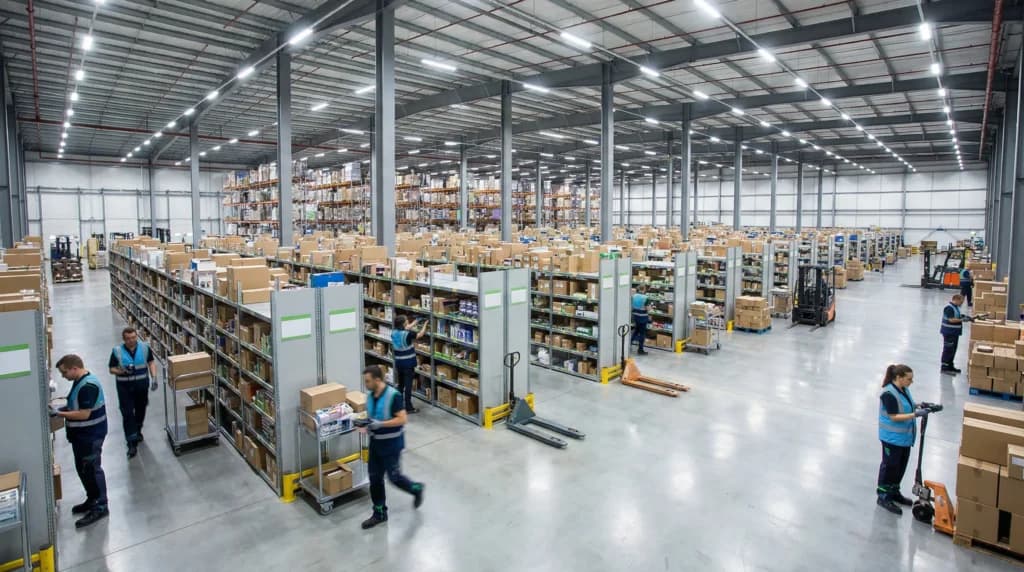
Inventory management software retail, retail store inventory management software, inventory management software for small retail business has become essential for modern businesses. A single miscounted pallet. One oversold product listing. A weekend stockout that drives loyal customers to your competitor. These inventory mistakes might seem small in isolation, but they compound quickly into thousands of dollars in lost revenue, damaged customer relationships, and operational chaos that keeps retail owners awake at night.
The reality facing small to medium-sized retailers is stark: manual inventory tracking and outdated systems create blind spots that modern shoppers simply won’t tolerate. When customers expect accurate stock information and fast fulfillment, guesswork becomes a liability. Inventory management software for retail has become essential infrastructure for stores that want to survive and grow in competitive markets.
This guide exposes the most damaging mistakes retailers make when selecting and implementing retail store inventory management software. Whether you’re evaluating your first system or replacing one that failed to deliver, understanding these pitfalls will help you make smarter decisions. We’ll examine what separates effective inventory management software for small retail business from systems that create more problems than they solve, and provide clear guidance on choosing the right solution for your store.
Critical Mistakes When Selecting Retail Inventory Management Software
Choosing inventory software represents one of the most consequential technology decisions a retail business makes. The wrong choice doesn’t just waste money on licensing fees. It wastes hundreds of hours in failed implementations, creates data integrity issues that take months to resolve, and often forces businesses back to square one with a different vendor.
Understanding these selection mistakes before you commit helps you avoid the expensive lesson of learning them firsthand.
Mistake 1: Prioritizing Price Over Total Cost of Ownership
Many retail owners fixate on monthly subscription costs when comparing inventory management software retail solutions. This narrow focus obscures the true cost picture and frequently leads to choosing systems that become far more expensive once implementation begins.
The actual cost of inventory software extends well beyond the license fee:
- Implementation and data migration expenses that can exceed first-year licensing costs
- Hardware requirements including barcode scanners, label printers, and mobile devices
- Integration fees for connecting with your point-of-sale system, accounting software, and e-commerce platforms
- Training time for staff, multiplied by hourly labor costs
- Ongoing support fees that some vendors charge separately from subscriptions
- Customization costs for industry-specific features
A system priced at $99 per month might seem attractive until you discover it requires $5,000 in custom development to connect with your existing e-commerce store. Meanwhile, a competitor charging $199 per month might include that integration natively, saving money over a three-year period while reducing implementation complexity.
The correct approach evaluates total cost of ownership across at least three years. Request detailed implementation quotes from vendors, ask about integration capabilities with your current software ecosystem, and factor in the opportunity cost of extended deployment timelines.
Mistake 2: Ignoring Integration Requirements Until After Purchase
Retail operations depend on multiple systems working together. Your point-of-sale captures transactions, your accounting software tracks finances, your e-commerce platform handles online orders, and your inventory system must synchronize with all of them. Failing to verify integration compatibility before selecting retail store inventory management software creates operational nightmares.
Consider the problems that arise when systems don’t communicate effectively:
- Online orders don’t automatically reduce in-store inventory counts, leading to overselling
- Sales data requires manual entry into accounting software, creating delays and errors
- Inventory adjustments in one location don’t reflect across other sales channels
- Reorder points can’t account for incoming purchase orders, triggering unnecessary replenishment
According to reporting from Supply Chain Dive, integration failures rank among the top reasons retail technology implementations fail to deliver expected returns. The publication has documented numerous cases where disconnected systems created more work than manual processes they were meant to replace.
Before committing to any inventory management software for small retail business, create a complete list of every system it must connect with. Verify that native integrations exist or that API connectivity allows custom connections. Request demonstrations of actual data flowing between systems, not just promises that integration is “possible.”

Mistake 3: Underestimating the Importance of User Experience
Sophisticated features mean nothing if your staff avoids using the system. Overly complex interfaces with steep learning curves create resistance that undermines adoption. Employees develop workarounds, skip data entry steps, and gradually return to informal tracking methods that defeat the purpose of the software entirely.
Small retail businesses face particular challenges with complex systems. Unlike large enterprises with dedicated IT departments and weeks available for training, smaller retailers need staff productive quickly. A system that requires extensive training creates productivity gaps during implementation and ongoing friction as new employees join.
Warning signs of problematic user experience include:
- Demonstrations that require vendor representatives to explain every click
- Training programs measured in days rather than hours
- Interfaces cluttered with features irrelevant to retail operations
- Mobile interfaces that simply shrink desktop screens rather than optimizing for handheld use
- Processes that require multiple screens to complete simple tasks like inventory counts
The fix involves testing software with actual staff members, not just managers. Have floor employees attempt common tasks during trial periods. Observe where confusion arises and ask whether the vendor can simplify those workflows. Prioritize systems designed specifically for retail operations rather than generic inventory tools adapted from manufacturing or distribution.
Implementation Errors That Derail Retail Inventory Systems
Selecting appropriate software represents only half the challenge. Implementation mistakes can transform excellent software choices into failed deployments. These errors typically emerge during the critical first months when businesses transition from old methods to new systems.
Mistake 4: Rushing the Data Migration Process
Excitement about new capabilities tempts retailers to accelerate implementation timelines. This pressure often manifests in rushed data migration, where existing inventory records transfer to the new system without adequate cleaning, verification, or organization.
Dirty data creates compounding problems:
- Duplicate SKUs create confusion about actual stock levels
- Inconsistent product naming makes items difficult to locate in searches
- Missing supplier information prevents automated reordering
- Incorrect category assignments skew sales reporting
- Historical cost errors distort margin calculations
These issues rarely appear immediately. They surface weeks or months later when reports produce nonsensical results, automatic reorders fail, or physical counts reveal massive discrepancies with system records. By then, identifying and correcting root causes requires extensive forensic work.
Proper data migration treats the transition as an opportunity to clean and standardize inventory records. This process takes time but pays dividends throughout the system’s operational life. Build data cleaning into your implementation timeline, verify migrated records against physical counts, and resist pressure to go live before data accuracy reaches acceptable levels.
Mistake 5: Skipping the Parallel Operation Period
Running old and new systems simultaneously feels wasteful. Staff must enter data twice, and the operational burden seems unnecessary when the new system appears ready. However, cutting over without a parallel period eliminates your safety net and creates unrecoverable situations when problems emerge.
Parallel operation serves multiple critical functions:
- Validates that the new system produces accurate results by comparing outputs
- Identifies workflow issues while fallback options remain available
- Builds staff confidence through gradual familiarization
- Reveals integration problems before they affect customer-facing operations
- Provides recovery options if critical failures occur
Industry guidance from sources like Retail Dive consistently emphasizes the importance of phased transitions for retail technology. The parallel period should last long enough to encounter normal business cycles, including typical sales patterns, receiving periods, and inventory count procedures.
Plan for at least two to four weeks of parallel operation depending on your business complexity. Accept the temporary productivity impact as insurance against far more costly failures.

Mistake 6: Treating Training as a One-Time Event
Initial training sessions introduce staff to basic system functions. However, treating this introduction as complete training leaves significant capability unused and creates dependency on a few power users who attended early sessions.
Training failures manifest in predictable ways:
- Staff members use only a fraction of available features
- Workarounds develop because employees don’t know proper procedures exist
- New hires learn from colleagues who pass along incorrect methods
- Advanced capabilities like reporting and analytics remain unexplored
- Process improvements stall because no one knows how to configure new workflows
Effective training programs continue beyond initial deployment. Schedule refresher sessions quarterly. Document standard procedures in written guides that new employees can reference. Designate internal champions who receive advanced training and serve as resources for colleagues. Build training time into onboarding processes for every new hire.
Operational Mistakes That Undermine Inventory Management Software Performance
Even perfectly selected and implemented systems fail when operational practices don’t support them. These ongoing mistakes gradually erode data quality and system value, often without obvious warning signs until problems become severe.
Mistake 7: Neglecting Regular Inventory Verification
Software provides visibility into inventory, but that visibility only reflects reality when data accuracy remains high. Physical counts verify that system records match actual stock. Skipping or minimizing this verification allows errors to accumulate undetected.
Inventory discrepancies arise from numerous sources:
- Receiving errors where quantities differ from what was recorded
- Theft and shrinkage that goes unreported
- Damage that removes items from saleable inventory
- Data entry mistakes during adjustments
- Returns processed incorrectly
- Transfers between locations or categories recorded improperly
Many retailers conduct annual physical counts to satisfy accounting requirements but neglect ongoing verification. This approach allows errors to persist for months, making root cause identification nearly impossible and corrections unreliable.
The solution combines full physical counts with ongoing cycle counting programs. Cycle counting verifies small portions of inventory continuously, spreading the verification workload throughout the year while catching problems quickly. Most inventory management software for retail includes cycle count functionality, but many businesses never activate or properly configure these features.
Mistake 8: Failing to Act on System-Generated Insights
Inventory management software retail solutions generate substantial data about stock performance, sales patterns, and operational efficiency. This information has value only when someone reviews it and takes action based on findings. Too many retailers install sophisticated systems but continue making decisions based on intuition rather than available data.
Commonly ignored insights include:
- Slow-moving inventory reports that identify products tying up capital
- Stockout frequency analysis showing items that need higher reorder points
- Supplier performance metrics revealing reliability issues
- Seasonal pattern data that should inform purchasing decisions
- Dead stock identification for markdown or liquidation candidates
- Margin analysis by category or product line
Building report review into regular business rhythms transforms data into decisions. Schedule weekly sessions to review key metrics. Establish thresholds that trigger investigation when patterns shift. Train managers to interpret reports and develop action plans based on findings. Understanding system capabilities helps identify which reports matter most for your specific business needs.
Mistake 9: Maintaining Siloed Inventory Across Channels
Retail operations increasingly span multiple channels including physical stores, e-commerce websites, marketplace listings, and social commerce. Managing inventory separately for each channel creates inefficiency and risk that unified systems eliminate.
Channel silos cause predictable problems:
- The same inventory gets double-counted across channels, inflating apparent stock levels
- Overselling occurs when channels don’t share real-time availability
- Safety stock multiplies unnecessarily because each channel maintains separate buffers
- Transfer processes between channels create delays and errors
- Reporting cannot provide true enterprise-wide visibility
Modern retail store inventory management software should provide unified inventory views regardless of where sales occur. When evaluating systems, verify that inventory counts update across all connected channels when any transaction occurs. Test scenarios where online orders reduce in-store availability and vice versa. Confirm that reporting consolidates all channels into coherent business intelligence.
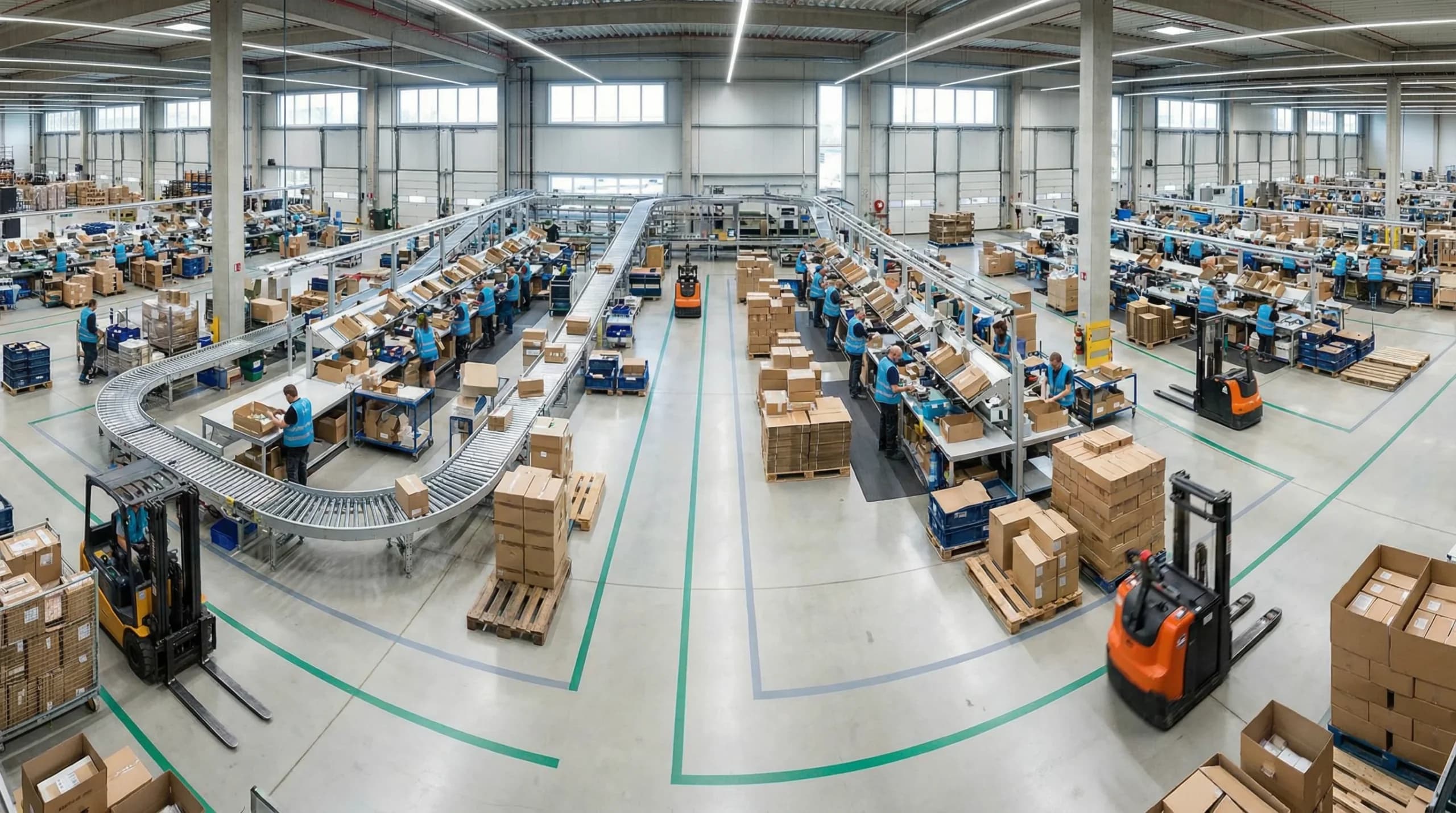
Comparing Retail Inventory Management Approaches: What Actually Matters
The inventory software market includes dozens of options targeting retail businesses. Distinguishing between genuine capability differences and marketing positioning requires understanding which features actually impact retail operations.
Feature Categories That Determine Real-World Performance
Certain capabilities separate adequate systems from excellent ones for retail environments:
Real-time inventory visibility matters because retail moves quickly. Systems that batch-process updates create windows where stock information is unreliable. True real-time systems reflect every transaction instantly across all connected channels and locations.
Mobile functionality determines whether inventory tasks happen where products physically exist. Systems designed for desktop use first often provide mobile interfaces as afterthoughts. Evaluate whether mobile apps support full workflow completion or merely provide limited lookup capabilities.
Barcode and scanning support eliminates manual data entry that introduces errors. Verify that systems work with standard barcode formats and can generate labels for items lacking manufacturer codes. Consider whether the system supports modern scanning through smartphone cameras or requires dedicated hardware.
Demand forecasting capabilities range from basic reorder point alerts to sophisticated algorithms incorporating seasonality, trends, and external factors. Smaller retailers may need less complexity, but growth trajectories should inform these decisions. Systems that cannot grow with your business force future replacements.
Multi-location support becomes critical as businesses expand. Even single-location retailers should verify that adding locations doesn’t require system replacement. Transfer management, location-specific reporting, and consolidated views across locations indicate mature multi-site capabilities.
Red Flags When Evaluating Vendors
Certain vendor behaviors predict implementation difficulties and ongoing frustration:
- Inability to provide customer references in similar retail segments
- Vague responses about integration capabilities with specific systems
- Pricing structures that penalize growth through per-user or per-SKU fees
- Long-term contracts without performance guarantees
- Support limited to email with undefined response time commitments
- Implementation timelines that seem unrealistically short
- Reluctance to provide trial periods or pilot programs
Conversely, positive indicators include transparent pricing, flexible contract terms, security certifications demonstrating data protection commitment, and willingness to customize demonstrations for your specific use cases.
Real Scenarios: How Inventory Mistakes Impact Retail Operations
Abstract discussions of inventory problems benefit from concrete illustrations. The following scenarios represent composite patterns observed across retail operations, showing how mistakes translate into measurable business impact.
Scenario: The Hidden Cost of Integration Failure
Imagine a boutique clothing retailer with both a physical storefront and a growing e-commerce presence. They selected inventory software based primarily on attractive per-month pricing without thoroughly investigating integration capabilities with their Shopify store.
After implementation, they discovered that the integration updated online inventory only twice daily through batch synchronization. During busy periods, this delay caused frequent overselling. Customers completed online purchases for items already sold in-store, requiring apology emails and refunds that damaged brand reputation.
Staff attempted workarounds by manually adjusting online quantities, but this created additional labor costs and introduced human errors. The retailer eventually replaced the system after eight months, absorbing the sunk costs of the original implementation plus the expense of the replacement process.
The lesson reinforces the importance of verifying real-time synchronization capabilities before selection, particularly for retailers operating multiple sales channels.
Scenario: The Expansion That Exposed System Limitations
Consider a home goods retailer that successfully operated a single location using basic inventory software. When they opened a second store, limitations emerged immediately. The software could not track inventory by location, forcing the retailer to maintain separate instances of the system for each store.
This architecture prevented transferring inventory between locations through the software. Staff resorted to manual processes involving spreadsheets to track transfers. Consolidated reporting required exporting data from both systems and combining it externally. Reordering could not account for total enterprise inventory, leading to overstock at one location while the other ran short.
The business recognized they needed inventory management software for small retail business designed for multi-location operation. However, the mid-expansion timing forced them to delay the replacement, operating with inefficient workarounds for nearly a year before completing the transition.
This scenario underscores evaluating scalability requirements before they become urgent, even when current operations seem straightforward.
Strategic Considerations When Choosing Inventory Management Software for Your Retail Store
Selection decisions should account for current needs and anticipated evolution. Businesses that evaluate software only against present requirements often face replacement pressure sooner than expected.
Questions That Reveal True Vendor Capabilities
Beyond standard feature comparisons, certain questions expose important differences between vendors:
What does your typical implementation timeline look like for a business our size? Responses should be specific rather than vague. Vendors with retail experience can estimate accurately based on comparable deployments.
How do you handle situations where our requirements exceed standard functionality? The answer reveals whether customization options exist and what they cost. It also indicates vendor flexibility and willingness to accommodate unique needs.
What happens to our data if we eventually leave your platform? Data portability matters. Systems that make export difficult or charge excessive fees for data extraction create concerning lock-in dynamics.
How has your pricing changed for existing customers over the past three years? This question reveals whether initial pricing remains stable or whether significant increases occur after businesses become dependent on the platform.
What percentage of your current customers operate in retail environments similar to ours? Vendors with deep retail expertise understand industry-specific challenges. Generalist solutions may require more configuration to address retail requirements.
Building an Evaluation Process That Identifies the Right Fit
Structured evaluation processes produce better outcomes than informal reviews:
- Document requirements comprehensively before contacting vendors. Include current needs, anticipated growth, integration requirements, and operational constraints.
- Request demonstrations tailored to your scenarios rather than accepting generic presentations. Provide vendors with sample data and ask them to show how specific workflows would function.
- Check references thoroughly by asking pointed questions about implementation challenges, ongoing support quality, and whether the vendor delivered on pre-sale promises.
- Conduct proof-of-concept trials with finalists. Real usage reveals issues that demonstrations cannot expose.
- Involve front-line staff in evaluation. Their daily experience with the system matters more than management impressions from occasional use.
- Calculate total cost of ownership across a minimum three-year period, including all implementation, integration, training, and support expenses.
Avoiding the Path to Inventory Chaos
Retail inventory management mistakes share common roots: insufficient research before decisions, inadequate planning during implementation, and neglected maintenance after deployment. Each error category offers opportunities for improvement that directly impact business performance.
The retailers who succeed with inventory technology approach it as a strategic investment requiring ongoing attention rather than a one-time purchase. They verify integration capabilities thoroughly. They allocate sufficient time for proper implementation. They train staff continuously. They use system-generated data to drive decisions. They verify accuracy through regular physical counts.
Inventory management software retail solutions have matured significantly. Modern systems offer capabilities that would have seemed remarkable a decade ago, at price points accessible to small businesses. However, technology alone cannot overcome poor selection, inadequate implementation, or neglected operation.
The businesses that extract maximum value from their warehouse management systems invest in understanding available options, selecting solutions aligned with their specific needs, implementing carefully with adequate resources, and maintaining disciplined operational practices throughout the system’s lifecycle.
Taking Action on Your Retail Inventory Strategy
Understanding common mistakes provides the foundation for avoiding them. However, knowledge without action changes nothing. If your current inventory approach exhibits problems described in this guide, the time to address them is now, before cumulative impacts become more severe.
For retailers currently evaluating inventory management software for small retail business options, applying the selection guidance here will produce better outcomes than intuitive decisions based on incomplete information. For those already operating inventory systems that underperform, honest assessment against these criteria identifies specific improvement opportunities.
Whether you’re selecting your first professional inventory system or replacing one that failed to deliver, expert guidance accelerates the process and reduces risk. Schedule a consultation to discuss your specific retail inventory challenges and explore solutions designed for businesses like yours.
Your inventory represents a substantial portion of your business assets. Managing it effectively determines profitability, customer satisfaction, and operational sanity. The mistakes described here are avoidable with proper attention. The question is whether you’ll invest the effort required to avoid them or learn the lessons through expensive experience.
Take the next step by exploring comprehensive WMS solutions built for retail operations, or reach out to our team for personalized guidance on your inventory management strategy.
Frequently Asked Questions
Why is inventory management software essential for retail?
Inventory management software is crucial for retail because it prevents costly inventory errors. It helps maintain accurate stock levels, avoiding overselling and stockouts that can drive customers to competitors. This software also streamlines operations and enhances fulfillment speed, which modern shoppers demand. Without it, retailers face operational chaos and lost revenue.
What mistakes do retailers make with inventory software?
Retailers often prioritize price over total cost of ownership when choosing inventory software. This mistake leads to unforeseen expenses in implementation, data migration, and hardware requirements. It can also result in integration issues with existing systems. Understanding these pitfalls helps retailers select more cost-effective and efficient solutions.
How does inventory management software benefit small retail businesses?
Inventory management software benefits small retail businesses by improving stock accuracy and operational efficiency. It minimizes manual tracking errors and ensures timely stock replenishment, which enhances customer satisfaction. This software also integrates with POS systems, providing real-time data for informed decision-making, essential for competing in today’s market.
What should retailers consider when choosing inventory management software?
Retailers should consider total cost of ownership, including implementation and integration costs, when choosing inventory management software. It’s important to evaluate the software’s compatibility with existing systems and its ability to scale with business growth. Ensuring staff can be effectively trained is also crucial for successful adoption.
How can inventory management software prevent stockouts?
Inventory management software prevents stockouts by providing real-time inventory tracking and automated alerts for low stock levels. This ensures timely reordering and maintains optimal stock levels. The software also offers insights into sales patterns, enabling proactive inventory planning to meet customer demand without overstocking.